Blue-Green Deployments With AWS ALB Weighted Target Groups
Shift traffic gradually between environments without DNS delays or extra load balancers.
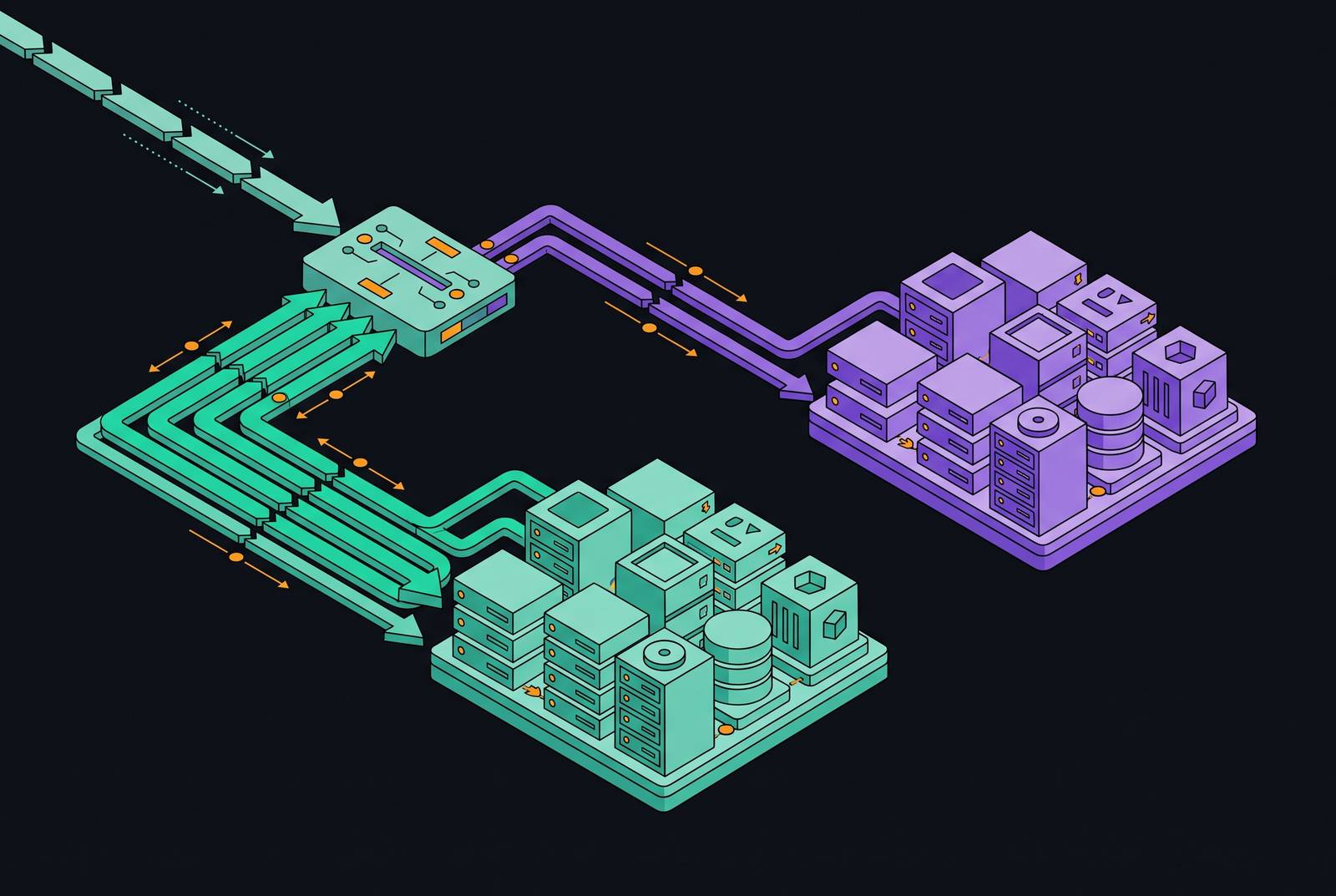
A blue-green deployment runs two identical environments side by side, one called blue and carrying live traffic, one called green and holding the new release, and it redirects traffic from blue to green only after the new version has been checked out. The appeal is straightforward: downtime approaches zero, and if the green environment starts misbehaving, rollback means sending traffic back to blue rather than scrambling to patch a broken release under live load. That promise, though, sits on top of a genuine tension. Cutting over too fast means a bad release reaches every user before anyone notices; cutting over too slowly means the team pays for two full environments longer than it needs to, while the release sits on green delivering no value.
Resolving that tension is a matter of where you put the control, not just how careful you are. Pushing the decision down to the load balancer itself lets a team move traffic in small, precise increments and reverse the move instantly, without touching DNS records or spinning up extra infrastructure to run a second path. On AWS, that means the Application Load Balancer (ALB), and specifically the weighted target group feature attached to a listener rule. What follows works through how that mechanism operates, how weights translate into actual traffic percentages, and the full sequence of steps a team runs from provisioning the new environment to a completed cutover, rollback included.
How weighted target groups work inside an ALB listener
An ALB listener isn't limited to sending every request to a single destination. It can forward traffic to several target groups at once, and each group gets a defined slice of the incoming requests. That slice is set with an integer weight, ranging from 0 to 999, and the ALB distributes traffic across whatever weights are configured, proportionally repost.aws. The math is just the ratio of the weights involved, as shown by weights of 8 and 2 producing an 80/20 percent split Using AWS Load Balancer Controller for blue/green deployment Blue/Green - AWS Load Balancer Controller.
Under the hood, this isn't round-robin cycling between groups in strict sequence. The ALB applies a weighted random algorithm, so any single request's destination is probabilistic, and the split only converges on the configured ratio once you're looking at a large enough sample of traffic. That detail matters for interpreting metrics during a low-traffic period: five requests split at a nominal 5 percent weight won't necessarily produce exactly one request to the canary group, so evaluating rollout health needs enough volume to be meaningful stackharbor.com How to Use Weighted Target Groups with ALB.
The other detail is what a weight of zero actually does. It doesn't deregister a target group or drop it from the listener's configuration, it just stops traffic from reaching it while keeping every target inside it registered and healthy. That's the mechanical foundation for both instant cutover and instant rollback: the standby environment is never cold, it's simply muted. AWS shipped this weighted routing capability for Application Load Balancers in November 2019, and a listener rule tops out at 5 target groups, and a listener itself caps at 100 rules by default, which matters for anyone running many services or tenants behind a shared ALB Using AWS Load Balancer Controller for blue/green deployment stackharbor.com. Weight changes themselves take effect within seconds, with none of the propagation delay that comes with DNS-based mechanisms.
The two prior strategies this approach replaced
Before weighted target groups existed, teams doing blue-green on AWS were largely choosing between two approaches, and neither one aged particularly well Using AWS Load Balancer Controller for blue/green deployment Blue/Green - AWS Load Balancer Controller. The first stood up two entire application stacks, each behind its own load balancer, and used DNS weighted routing to split traffic between the two.
Both ran into the same wall: DNS. Add to that the cost and warm-up time of running a second load balancer in the dual-stack approach, and you get a rollback mechanism that's slow exactly when speed matters most, right after a bad release has gone out.
Weighted target groups on a single ALB remove the DNS dependency altogether. Prior approach 2 was DNS-only switching: pointing the record at the new stack and relying on TTL expiry for propagation. Both prior approaches shared drawbacks: DNS propagation can take 1 to 5 minutes even with a low TTL, caching on client machines extends that window further, and running a second load balancer adds cost and warm-up delay cloudwebschool.com medium.com computingforgeeks.com. Automation becomes straightforward because the modify-rule API is the single lever for shifting traffic, rolling back, and scripting progressive ladders, with no DNS records to manage.
Two distinct deployment patterns the same mechanism supports
The underlying plumbing, weighted target groups attached to a single listener rule, is the same mechanism used by both patterns, though they differ entirely in operational workflow.
Pure blue-green keeps blue at full weight and green at zero throughout validation, and once the team is satisfied, a single weight swap sends all traffic to green in one move. Because both environments stay registered and warm the entire time, that swap is genuinely instantaneous, and the reverse swap back to blue is just as fast if something goes wrong. This pattern suits teams with strong confidence from pre-production testing, who want the production-facing change to be as simple as one flip rather than a multi-step ladder.
Canary, or progressive shift, takes the opposite posture. Green opens at a small weight, often around 5 percent, and only climbs when metrics clear defined gates at each stage How to Use Weighted Target Groups with ALB. The value here is blast radius: a broken release at 5 percent weight touches a small slice of users before rollback kicks in, rather than the entire user base How to Use Weighted Target Groups with ALB. This pattern earns its complexity on high-traffic services, on changes whose production behavior is genuinely uncertain, or in shops without a staging environment that mirrors production closely enough to trust.
Teams sometimes describe any gradual traffic shift as "blue-green with canary baking," which blurs a distinction worth keeping sharp, because the configuration choices, particularly around stickiness and rollback thresholds, differ meaningfully depending on which pattern is actually running. The same mechanism isn't limited to deployment safety either. Routing a percentage of users to a different backend for A/B testing, or gradually moving traffic off an old architecture entirely, both run on the identical weighted target group setup. A typical ladder proceeds 5% → 25% → 50% → 100%, with an observation window at each step How to Use Weighted Target Groups with ALB stackharbor.com New – Application Load Balancer Simplifies Deployment with Weighted Target Groups | Amazon Web Services.
End-to-end workflow: from provisioning target groups to full cutover
The workflow starts with creating target groups: one for the current, live version and one for the new one, each with its own health check configuration, including path, interval, and healthy and unhealthy threshold counts. Tagging each group by version, something like Key=Version, Value=v1, pays off later when reading CloudWatch dashboards or debugging which group served a given request. Instances or tasks get registered to the appropriate group from there.
Next comes configuring the listener rule itself with initial weights. At the start, blue holds full weight and green is zero, registered and healthy but receiving nothing while validation runs.
With green at zero weight, the next step is validating it before any real traffic reaches it. Smoke tests, health checks, and integration tests run directly against the green target group, either by hitting its instances directly or through a separate staging listener. Only once every target in green is passing its health checks does the shift itself begin.
For pure blue-green, that shift is one modify-listener call: blue drops to zero, green jumps to full weight, done. Each of those weight changes, at every stage, is a single API call or CLI command, with nothing to reprovision underneath it.
Full cutover arrives when green reaches full weight and blue drops to zero, though blue stays registered rather than getting torn down. That's deliberate, and the reasoning behind keeping it alive gets its own section below. Teams use aws elbv2 modify-listener, or the console, CloudFormation, or the ModifyListener API, to attach both target groups to the same forward action. The JSON shape for the ForwardConfig block is an array of target group ARNs each with a Weight integer, plus an optional TargetGroupStickinessConfig. For canary deployments, traffic opens at 5% to green, metrics are observed for an appropriate window, and the rollout then increments through the ladder of 25%, 50%, and 100% How to Use Weighted Target Groups with ALB stackharbor.com New – Application Load Balancer Simplifies Deployment with Weighted Target Groups | Amazon Web Services. On the Kubernetes path using EKS with the AWS Load Balancer Controller, weights are expressed in the alb.ingress.kubernetes.io/actions.${service-name} annotation as a JSON forwardConfig block, applying the same weight semantics in a declarative rather than imperative form.
Target group stickiness: the configuration detail that causes production 503 errors if misunderstood
Target group stickiness gets confused with load-balancer-level sticky sessions, but they solve different problems. Sticky sessions pin a user to one specific target inside a group; target group stickiness pins a user to an entire group for a set duration, which matters a great deal once two groups are splitting traffic.
That configurability cuts both ways. If a user gets pinned to a target group through stickiness and every target inside that group then fails its health checks, the ALB keeps routing that user's requests to the failing group regardless, because stickiness overrides the shift, and the user sees 503 errors until the sticky session finally expires. That's a real production failure mode, not a theoretical edge case, and it occurs specifically when a group is being drained during cutover.
For pure blue-green, the fix is to turn stickiness off entirely, so that when green takes full weight, every user shifts over immediately with nobody left stranded on a blue group that's actively draining. Some published configuration examples show stickiness enabled with a full one-hour duration; that setup prioritizes session consistency over fast group-level transitions, and it isn't the right default for every workload, particularly ones running progressive rollouts with a tight rollback window. The default stickiness duration is 1 hour, configurable between 1 second and 7 days repost.aws. For canary deployments where stickiness is wanted, such as session-sensitive applications, the recommendation is to keep the duration as short as possible, preferably under 5 minutes, to minimize the window during which users are pinned to a group that may be draining medium.com computingforgeeks.com.
Health checks as a prerequisite, not a failover mechanism
Health checks confirm a target group is ready before it takes traffic. They do not act as a safety net once traffic is already flowing, and that distinction trips up teams who assume the ALB will automatically route around a group that degrades mid-rollout. It won't automatically route around a group that degrades mid-rollout, a distinction that trips up teams who assume otherwise. The ALB continues distributing traffic according to the configured weights even if every target inside a group is failing its health checks; weighted routing does not include automatic failover away from an unhealthy group.
So health checks answer one question only: is this group ready to receive traffic right now, before the shift begins. Once traffic is live, protecting users from a group that degrades depends entirely on something external to the load balancer, active monitoring paired with an automated or manual rollback trigger, not the health check mechanism itself. Configuring health check path, interval, and threshold counts still matters, but it's a gate at the entrance, not a guard patrolling the room afterward.
Automating rollback with CloudWatch metrics and a modify-rule feedback loop
CloudWatch generates per-target-group metrics automatically, things like HTTPCode_Target_5XX_Count, giving a team a direct, version-level comparison between blue and green while both are actively serving traffic, the raw material for automated rollback. That comparison is the raw material for automated rollback.
If the 5XX error rate stays under 1 percent and p99 latency stays within 20 percent of the established baseline, the workflow increments the canary weight to the next rung on the ladder medium.com New – Application Load Balancer Simplifies Deployment with Weighted Target Groups | Amazon Web Services. If the 5XX rate crosses 1 percent on any single evaluation, the workflow sets the canary weight straight to zero through a modify-rule API call and fires an alert⟧c48⟧ medium.com.
Teams not yet running this level of automation aren't out of options. A manual canary script, shell or Python, that pauses at each step and waits for a human to approve before incrementing the weight is a legitimate lower-effort alternative. What a progressive rollout cannot skip, in either form, is the monitoring feedback loop itself. Without it, a canary ladder is just a slower deployment with extra steps bolted on, since nothing is actually deciding whether to advance or pull back based on how the release performs. A practical Step Functions automation pattern illustrates this feedback loop. The evaluation cycle reads CloudWatch metrics from the canary target group every 5 minutes medium.com computingforgeeks.com. The same pattern can be implemented with Lambda or wired into a CI/CD pipeline, since the key is that the modify-rule API call is the single action for both advancing and rolling back.
The post-cutover window for keeping blue alive and cleanup timing
Reaching full weight on green doesn't mean blue disappears. It should stay registered, sitting at zero weight, for a deliberate window after cutover, not get torn down the moment the weight change goes through. Terminate it immediately and the team has thrown away its rollback option right when a cutover-triggered problem is most likely to surface; leave it running indefinitely and the team is paying for infrastructure with no purpose.
The right window depends on what the service does. The window should be long enough for CloudWatch alarms and smoke tests to surface any post-cutover problems that only appear under full production load. Once that window closes without incident, blue's targets get deregistered, its instances or tasks get terminated, and the target group itself can be deleted if there's no reason to keep it around. Green, at that point, is the new production baseline, and it takes over the role blue held for the next deployment cycle. A typical window is a minimum of 15 to 30 minutes for most services, while business-critical or high-traffic services warrant an hour or more cloudwebschool.com.
The pattern's application across EC2, ECS (CodeDeploy), ECS native blue-green, and Kubernetes
Weight shifts happen through modify-listener, and the surrounding infrastructure is commonly scaffolded with CDK or Terraform.
On Amazon ECS, the established path runs through CodeDeploy. CodeDeploy manages the handoff from the current task set to a replacement task set by shifting weight between two ALB target groups behind the scenes, and it supports both linear and canary traffic-shifting strategies for ECS specifically. Anyone running this through Terraform needs to watch for a specific conflict: without ignore_changes set to [task_definition, load_balancer] on the ECS service, and ignore_changes set to [default_action] on the ALB listener, every subsequent terraform apply will revert the ALB straight back to blue, silently undoing whatever traffic shift CodeDeploy just performed.
ECS also now has a native blue-green capability. It launched in July 2025, with linear and canary traffic-shifting strategies following in May 2026, and it integrates directly into the ECS service model rather than requiring a separate CodeDeploy application and deployment group sitting alongside it. That feature set now covers essentially the same traffic-shifting ground CodeDeploy was built to handle, which makes migrating from CodeDeploy-based blue-green to the native ECS version a live question for teams already running ECS in production. The pattern applies to EC2 and Auto Scaling Groups as one of the environments covered. It uses two Auto Scaling Groups, one for blue instances and one for green, each attached to its own target group behind the same ALB.
Sources
- How to Use Weighted Target Groups with ALB
- Blue/Green - AWS Load Balancer Controller
- Using AWS Load Balancer Controller for blue/green deployment, canary deployment and A/B testing | Amazon Web Services
- New – Application Load Balancer Simplifies Deployment with Weighted Target Groups | Amazon Web Services
- computingforgeeks.com
- medium.com
- Set up weighted target groups for an Application Load Balancer